
Your best ideas never show up when you are sitting at a keyboard. They show up while you are driving, walking the dog, or standing in the shower with shampoo in your hair. You tell yourself you will remember to email the landlord, book the dentist, and pick up the birthday gift. By the time your hands are free, at least one of those is gone.
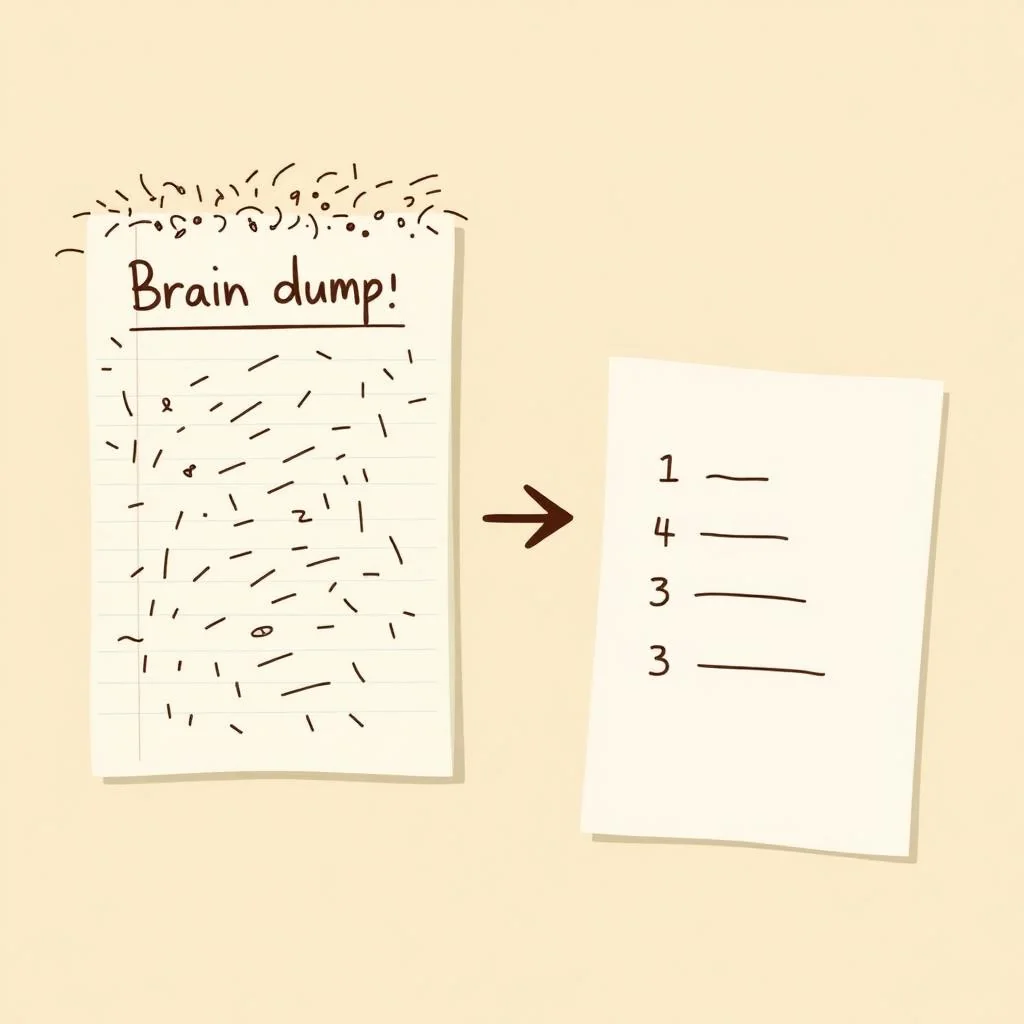
That is the whole case for a voice to-do list app. Speaking is faster than typing, it works when your hands are busy, and it lowers the barrier to capture so much that you actually do it. But here is the catch most reviews skip: transcription is not organization. Plenty of apps will turn your speech into text. Very few will turn a rambling ninety-second voice note into a list you can act on.
This guide covers seven apps that genuinely convert speech into tasks, with honest notes on where each one falls short. Because a voice memo graveyard is not a productivity system.
What makes a good voice to-do list app
Before the list, four things worth judging these apps on:
- Capture speed. If it takes four taps to start recording, you will not use it in the moments that matter.
- Accuracy. Good speech recognition, including names, dates, and the way you actually talk.
- What happens after transcription. Does the app split your ramble into separate tasks? Does it prioritize them? Or does it hand you back a wall of text?
- Where the tasks end up. Tasks trapped inside an app you never open are just anxiety with a timestamp.
That third point is the big one. Most tools transcribe. Almost none organize. Keep that in mind as you read.
1. Todoist (with Ramble voice capture)
Best for: people who already live in a full-featured task manager and want voice on top.
Todoist has been a to-do list heavyweight for years, and its Ramble voice capture is one of the more impressive speech-to-task features on the market. You talk in a stream of consciousness, and Ramble parses out individual tasks, due dates, priorities, and even project assignments from natural speech in dozens of languages. Say "I need to send the invoice by Friday and sometime next week call mom" and you get two structured tasks, not one messy note.
The limitations are mostly about what Todoist is: a serious task manager with projects, labels, filters, and a learning curve to match. If you are overwhelmed, the structure can feel like homework. The free plan caps you at a handful of active projects and a limited number of Ramble sessions per month, so heavy voice users will need to pay. And once your tasks land in Todoist, prioritizing them is still on you. (If that sounds familiar, see our Todoist alternative guide.)
Price: free plan available; Pro is around $5/month billed annually. Platforms: iOS, Android, web, desktop.
2. TickTick
Best for: quick single-task voice entry inside a capable everyday task manager.
TickTick's voice input is fast and practical. Tap the mic on mobile, say your task, and its natural language processing pulls out the date and time ("submit report Thursday at 3pm" becomes a scheduled task). It is a genuinely low-friction way to add tasks on the go, and TickTick as a whole is excellent value, with a calendar view, habit tracker, and even a built-in Eisenhower Matrix view on paid plans.
The catch: TickTick's voice input is built for one task at a time. It is dictation with smart date parsing, not a brain dump tool. If you have fifteen things swirling in your head, you are doing fifteen separate recordings, and the matrix view requires you to sort tasks into quadrants yourself. For a single "add milk to the list" moment it is great. For an overloaded mind, it is a funnel with a narrow opening.
Price: free plan available; Premium is around $3/month billed annually. Platforms: iOS, Android, web, desktop.
3. TaskDumpr
Best for: speaking everything on your mind at once and getting back a prioritized plan.
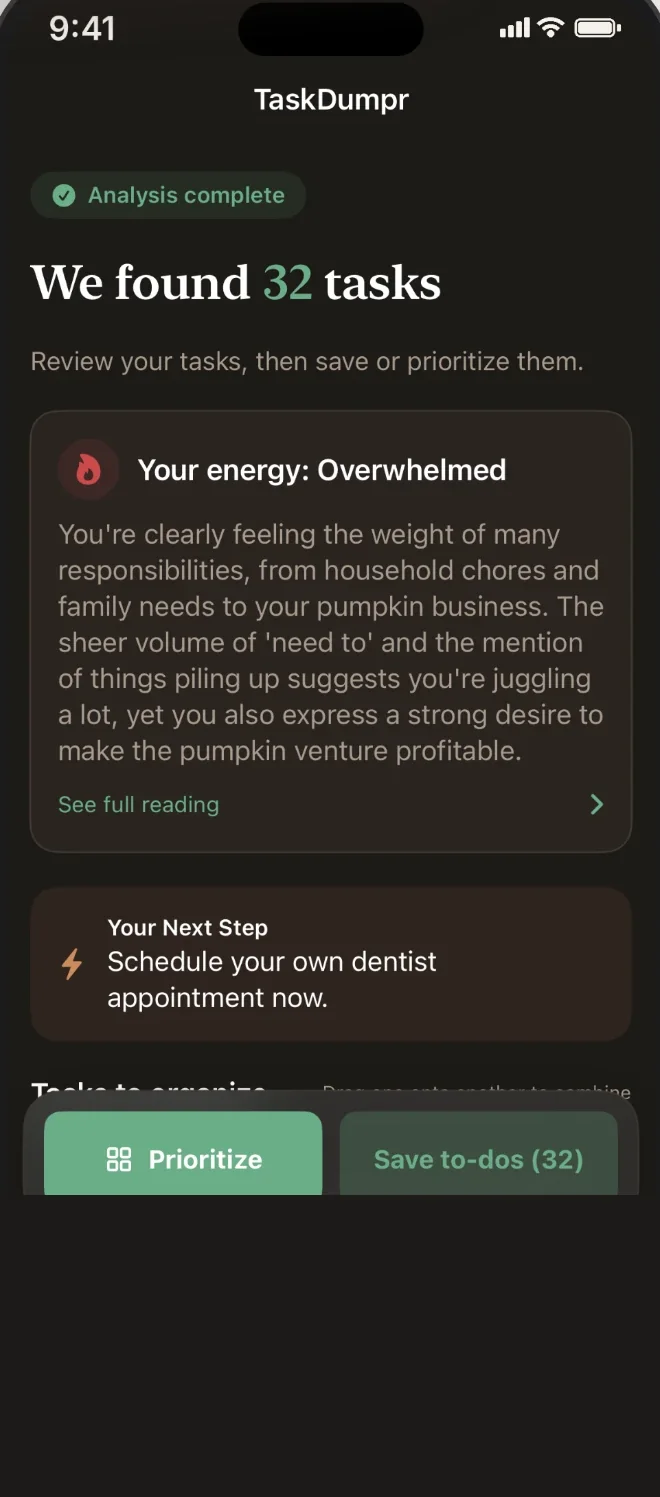
TaskDumpr approaches voice differently. Instead of dictating one task at a time, you hit record and say everything: the errands, the work deadlines, the nagging worry about your inbox, all of it, unfiltered. Then the app does the part most voice tools skip. It splits your dump into individual tasks and automatically sorts them into an Eisenhower Matrix, so you can see at a glance what to do first, what to schedule, what to hand off, and what to drop. If you have never used the matrix, our Eisenhower Matrix guide explains why it works so well for overloaded brains.
Two features stand out. First, the "Let Go" space: not everything you say out loud is a task, and TaskDumpr gives worries and mental clutter somewhere to be released instead of forcing them into a checklist. Second, exports: your action plan can be sent to iOS Reminders or Notes, so tasks end up where you already work.
Honest limitations: TaskDumpr is not a project manager. There are no team features, no recurring task systems and no Gantt charts. The free plan covers 3 brain dumps and 3 Let Go sessions a week, including 1 voice dump, which is enough to build the habit.
Price: free to start; premium unlocks unlimited dumps and exports. Platforms: iPhone app and web (works on any device), with exports to iOS Reminders and Notes.
Go Premium4. Apple Reminders with Siri
Best for: iPhone users who want hands-free capture with zero new apps.
If you own an iPhone, you already have a voice to-do list. "Hey Siri, remind me to take out the recycling tonight" works from across the room, from your wrist, or from the car, and the task lands in Reminders with a time attached. It is free, deeply integrated, and location-aware ("remind me when I get home" still feels like magic). For pure capture speed, nothing on this list beats it.
The weaknesses show up after capture. Siri handles one reminder at a time and still mishears more than it should, especially with names or anything mumbled. Reminders itself offers lists and flags but no real prioritization help; a list of forty reminders is just as overwhelming as the thoughts were. And it is Apple-only, so mixed-device households are out of luck.
Price: free. Platforms: iOS, iPadOS, macOS, watchOS.
5. Google Keep with Assistant and Gemini
Best for: Android users who want free, cross-platform voice capture.
Google Keep is the Android world's answer to quick capture. Record a voice note and Keep saves both the audio and a transcription; ask Assistant (or increasingly Gemini) to add items to a list and they appear instantly. It is free, syncs everywhere including the web, and the transcription quality is solid. For grocery lists and quick thoughts, it is hard to argue with the price.
But Keep is a notes app wearing a to-do list costume. Your voice notes pile up as cards, and turning them into an organized task list means manual copying, checkbox conversion, and dragging things around yourself. There are no priorities, no real due-date system, and no help deciding what matters. If your problem is too many thoughts and no order, Keep gives you a prettier version of the same pile. That is the trap we cover in brain dump vs. to-do list: capture without processing just relocates the overwhelm.
Price: free. Platforms: Android, iOS, web.
6. Wispr Flow
Best for: speaking your tasks into whatever app you already use, at four times typing speed.
Wispr Flow is not a to-do list app, and that is exactly why it belongs here. It is a system-wide AI dictation tool: hold a shortcut key, talk, and cleaned-up text appears wherever your cursor already is. Your Todoist quick-add box, an Apple Reminders list, a Slack message to yourself, a blank note. It strips out the "um" and "you know," repairs the sentence you restarted halfway through, and adds punctuation, so what lands reads like you wrote it rather than like you dictated it. Wispr pitches roughly 220 words per minute against a typing average near 45, and heavy users report sustained rates of 150 or more.
It is also the most accessible tool on this list. Flow has been widely adopted by people with ADHD, dyslexia, RSI, and carpal tunnel, and the reports are consistent: when the expensive step is getting words from your head to a keyboard, removing that step changes what you can get done in a day. Coverage is the broadest here too, with native apps on Mac, Windows, iPhone, and Android.
The limitations are worth knowing before you commit. Everything is processed in the cloud, so no connection means no dictation, and your audio leaves your device. The iPhone version routes you through the Wispr keyboard and app every time, which eats most of the frictionlessness that makes the desktop version so good. And critically for this list: Flow hands you a clean paragraph, not a task list. Speak ninety seconds of everything on your mind and you get back beautifully punctuated prose containing eleven obligations, three worries, and no priority order at all. We go deeper on that gap in our full Wispr Flow review, including pricing and where it breaks.
Price: free plan gives about 2,000 words per week on desktop and 1,000 on iPhone; Pro is $15/month or $144/year. Platforms: Mac, Windows, iOS, Android.
7. Voicenotes (and Talknotes-style AI note apps)
Best for: long, rambling voice memos you want transcribed and summarized by AI.
A newer category of app, led by tools like Voicenotes and Talknotes, treats your voice as the primary input. You record freely, and AI transcribes, summarizes, and can extract action items from what you said. Voicenotes in particular is polished: fast transcription in many languages, an "ask your notes" AI assistant, and integrations that can push to-dos into other apps. If you think out loud in paragraphs, these tools are genuinely pleasant to use.
The limitation is that they are note apps first and task apps second. The extracted to-dos usually live inside the note or get handed off to a separate task manager, and there is no prioritization: an AI bullet list of twelve action items still leaves you deciding where to start. Pricing also adds up, since the useful AI features sit behind subscriptions.
Price: free tier available; Pro plans run around $10 to $15/month. Platforms: iOS, Android, web.
How to choose
The best app depends on how your overwhelm shows up:
- You capture one task at a time, on the go: Apple Reminders with Siri (iPhone) or Google Keep (Android). Free and frictionless.
- You already use a task manager and want voice added: Todoist with Ramble, or TickTick if you want better value.
- Typing itself is the bottleneck, all day, in every app: Wispr Flow. It is the fastest way to get words out of your head and into anything.
- You think in long rambles and want searchable transcripts: Voicenotes or a similar AI note app.
- You have twenty things in your head and no idea where to start: TaskDumpr, because it does the sorting for you.
- You manage projects with a team: none of these alone; pair voice capture with a proper project tool.
Worth saying plainly: Wispr Flow and TaskDumpr are not competitors. Flow is the fastest way to say everything. TaskDumpr is what decides what to do with it. Plenty of people run both, dictating the dump with Flow and dropping the result into TaskDumpr to be sorted.
Why TaskDumpr stands out
Every app on this list can turn speech into text. Most can turn speech into a task. Only one is built around the moment when your whole mind is full and you need everything out at once.
TaskDumpr assumes your voice note will be messy, because minds are messy. You speak or type everything, and it automatically sorts the result into the Eisenhower Matrix, rates urgency, and separates real tasks from the worries that just needed saying (those go to Let Go, where you can release them). Then it exports your plan to iOS Reminders or Notes so you are not locked in. It will not manage your team or your sprint board, and the free tier is deliberately small. But for the specific job of "speak your chaos, receive a plan," nothing here does it more directly. If that sounds like your brain, start with our guide on how to brain dump and try it out.
The honest truth remains: the best app is the one you will actually use. Pick the one that matches how you talk, set it up today, and say the first thing on your mind before it slips away again.
FAQ
What is the best voice to-do list app?
It depends on how your overwhelm shows up. Apple Reminders with Siri or Google Keep are best for quick single tasks, Todoist with Ramble for voice inside a full task manager, Wispr Flow for fast dictation into any app, and TaskDumpr for speaking everything at once and getting back a prioritized plan.
Can I turn voice notes into tasks automatically?
Yes. Todoist Ramble, Voicenotes, and TaskDumpr all extract tasks from speech. TaskDumpr goes a step further and sorts those tasks into an Eisenhower Matrix so you know what to do first.
Is Wispr Flow a to-do list app?
No. Wispr Flow is a system-wide AI dictation tool. It turns speech into clean text wherever your cursor is, but it does not split that text into tasks or prioritize them.
Is transcription the same as organization?
No. Most voice apps turn speech into text. Very few split a rambling voice note into separate tasks and help you decide which matter most.
Keep reading
Try TaskDumpr free
Empty your head in one go and let TaskDumpr split it into sorted, prioritized tasks. No card needed.
Start a free brain dump